From court to social media: How tennis creators can turn match footage into engaging short-form videos
Tennis creators often struggle to make raw match footage engaging for social media. This guide reveals how to identify compelling points, frame them effectively for vertical video, and enhance clarity, ensuring your short-form content captures attention and tells a story.
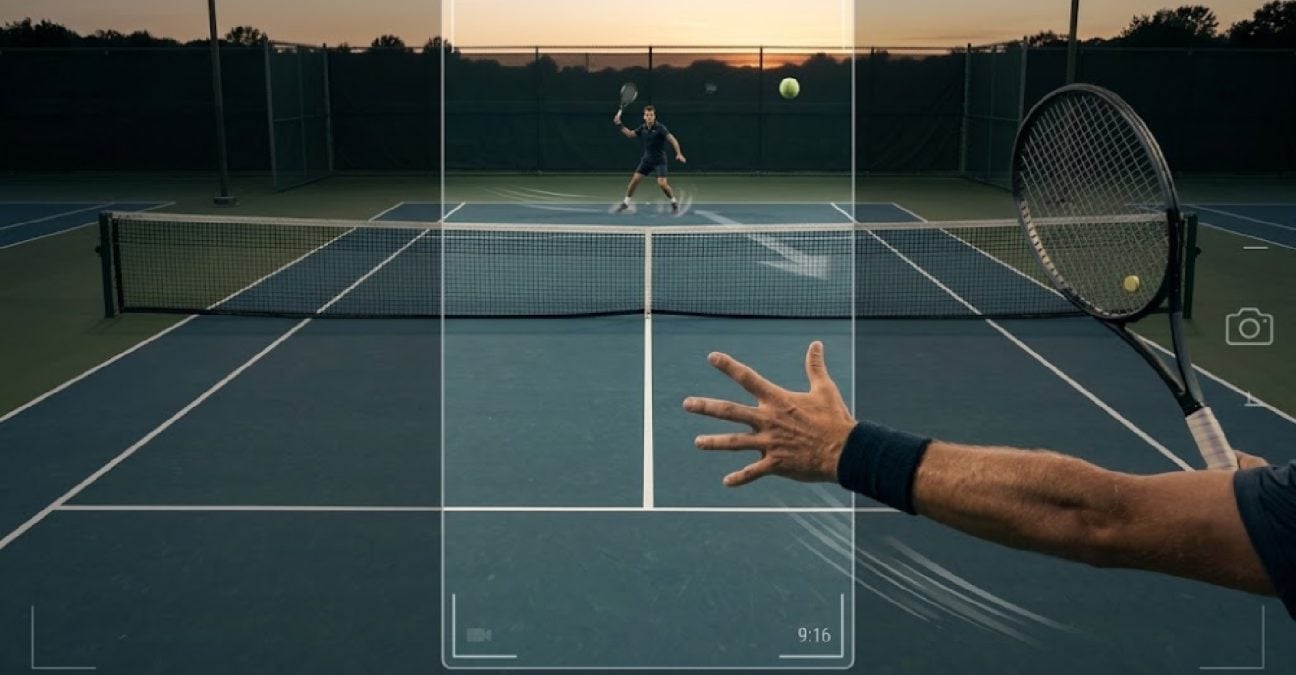 From court to social media

Pro tennis comes with a ton of data around it.
You get the serve speed, the spin, the exact court position, even the win % changing point by point. And as a tennis creator, you can make a lot of short videos from it.
At clubs, academies, and even many ITF events, it’s the opposite. When the match ends, you have none of that left. So if you want to post it on social media, you have to create the context yourself.
That means you need to keep what matters from the very start, the split-step before the point starts, the recovery steps after, and add a really simple score bar on screen so people actually understand why this point mattered. This article covers how to find that STORY, keep it readable in 9:16, and make it work on social media.
Find a point worth posting
Not every good shot makes a good short-form post. The clips that perform well show WHY the point was won, not just how hard the last ball was hit.
A useful vertical clip should answer three basic questions:
- What was happening at that point?
- What did the server or returner do to change the court?
- What did that decision create?
If these details are missing, the video might look visually pleasing – but viewers will find no reason to watch it again or even share it with other players or coaches
The three types of points that work well in 9:16 include:
- Return position points. At 30-30 or deuce, a returner stepping two feet inside the baseline on a second serve. The pressure is created before contact.
- Serve and recovery points. A strong serve followed by a slow or narrow recovery. The court opens crosscourt not because of a great return, but because of the first step after the serve.
- Defense to offense in two shots. The player sliding way behind the baseline just to stay in the rally. Then suddenly stepping in and taking charge. It’s all about the footwork, not the final winner.
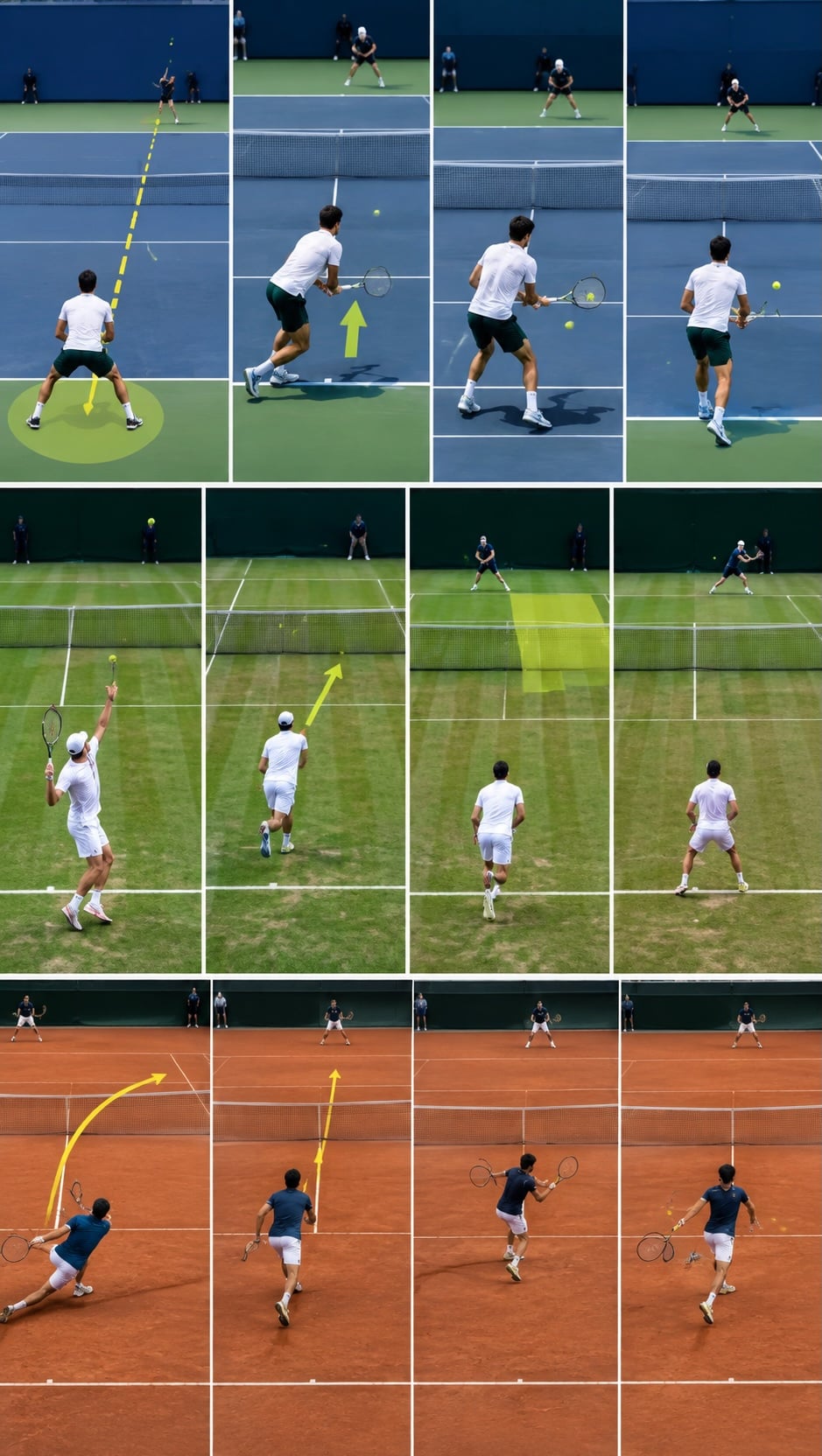
Once you find a point worth sharing, don’t just save the winning shot. Need a 9 sec clip? Pull at least 14 seconds from source. That means the split-step before the serve, the full follow-through, and a moment after the point ends. Viewers need that lead-in to understand positioning. If the cut starts at contact, even a good rally feels random.
Make vertical readable
A full tennis court does not fit neatly into a vertical frame video. Crop too wide and the players become small. Crop too tight and the ball or opponent can disappear.
Typical mistakes that make tennis unreadable in vertical:
- Cropping to the middle of the net, which cuts off both baselines
- Punching in tight on the hitter, so the opponent’s court position is gone
- Placing large captions over the service boxes or the baseline
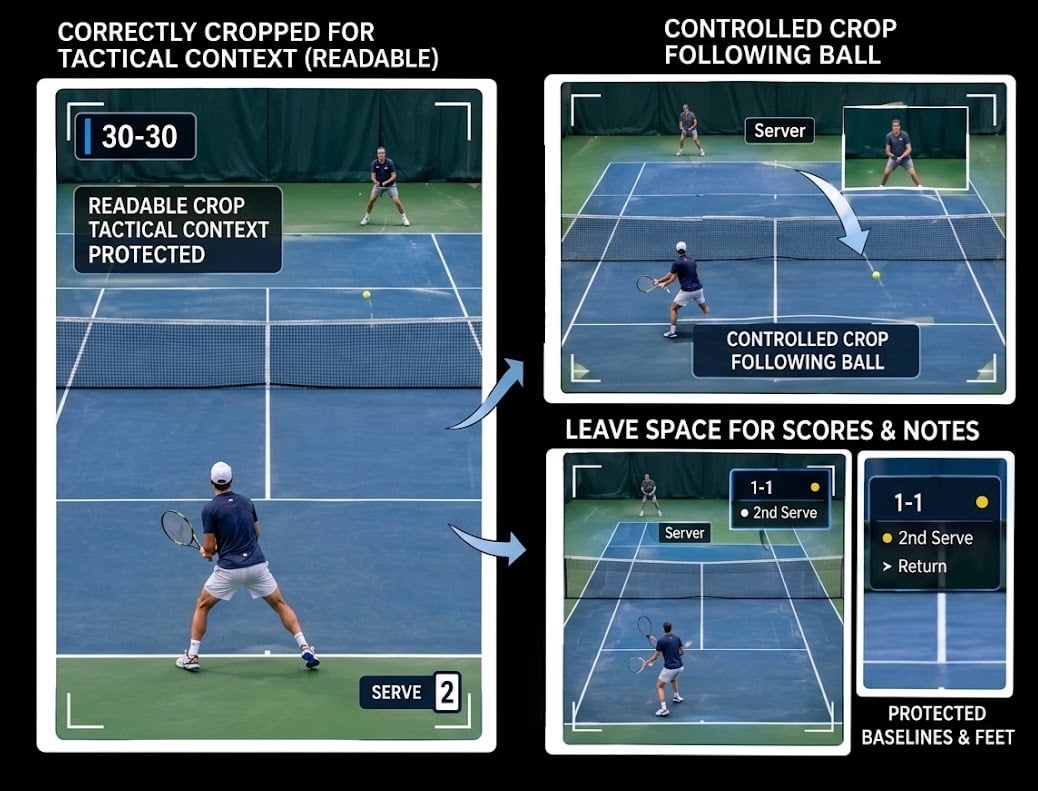
When cropping the tennis video to a 9:16 vertical format, make sure that you do not crop away information that shows the development of the point being played. You need to keep the baselines in frame, keep the players’ feet visible, and leave enough court in the shot so anyone watching can instantly tell who’s on offense.
Always avoid “quick zoom-in”. Instead, follow the ball with a calm, slow reframe and make sure you leave some room open for score or text. Finish your cut completely first, then go and export the final version properly – don’t try to compress the vertical file itself.
Check clarity before enhancement
Academy livestreams, ITF streams from the side courts, and phone footage from behind the baseline – they all have the same limits. Ball visibility drops mid-court, racket edges soften at contact, and white lines bloom under indoor lights. In horizontal, it looks acceptable. Enlarged to 9:16, it falls apart
Before publishing, check the clip paused on a laptop at 100% at three moments:
- Ball in flight mid-court – is it a round shape or a smear?
- Racket at contact – can the string bed and frame edge be separated?
- Baseline and service line – solid or buzzing with compression artifacts?
If those three are soft, the viewer will lose the ball on a phone at 50% brightness with no sound
This is where a dedicated quality pass helps. You can use a video enhancer to improve softness, reduce some compression noise, and bring back a little definition. The idea is to keep editing separate from clarity.
The video enhancement tools from Vmake Labs are built for this step.

The process itself is simple. Get to the video enhancer page on Vmake Labs, upload the clean 9:16 work file you already exported – no need to rebuild the timeline.
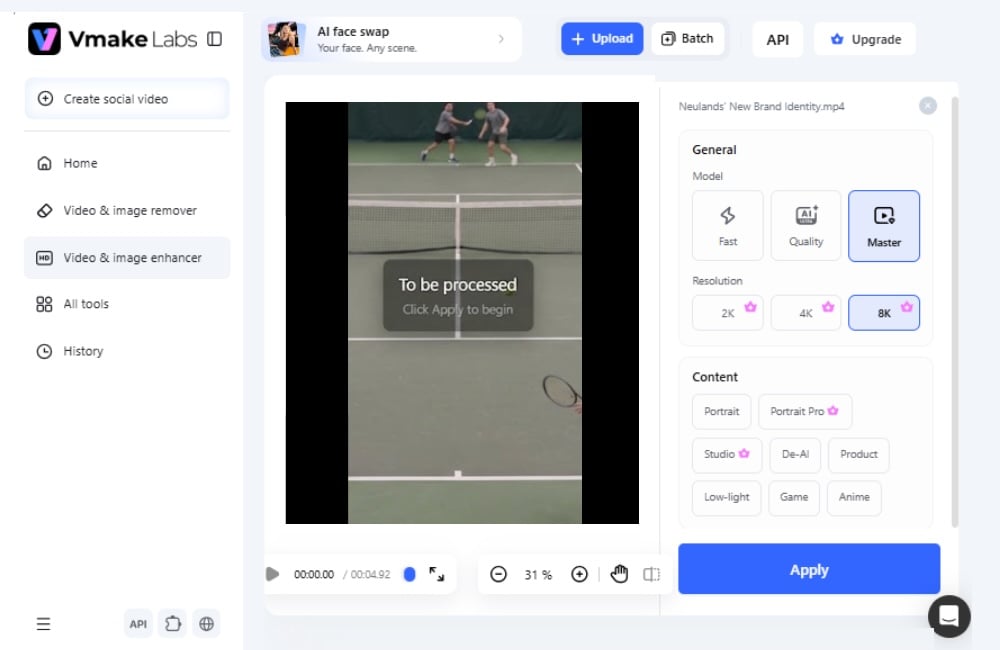
Once video is uploaded, on the right you will see models and resolution options.
There are three models – Fast, Quality, and Master. Fast is for a quick preview, Quality balances speed and detail, and Master is the one that keeps the small tennis details most intact – ball edge, racket strings, and white lines.
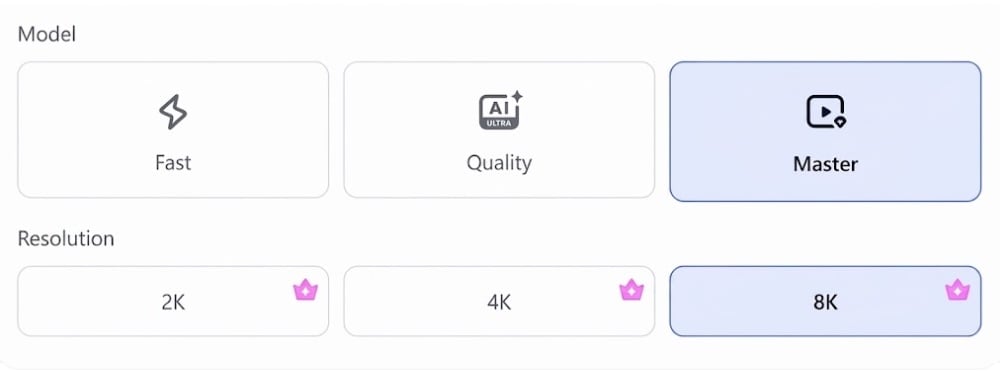
Below that is Resolution – 2K, 4K, and 8K. For a 1080p academy clip that you are going to publish as 9:16 short-form, Master at 8K gives you the cleanest result for phone viewing, with more solid baselines and less buzzing around the lines
Select Master, pick your output resolution, and hit Apply. Within seconds, you get a cleaner version of the same clip – same 1080p/30fps timing, but with better edge contrast and less compression mush.
In the before version of our test clip below, you can see exactly why vertical crops fall apart. It’s a 1080p / 30fps shot from behind the baseline, already cropped to 9:16. You can see the ball two meters over the net, but it’s soft with a slight trail. The racket throat is blurred where it crosses the background, and there’s a faint halo around the baseline from compression.
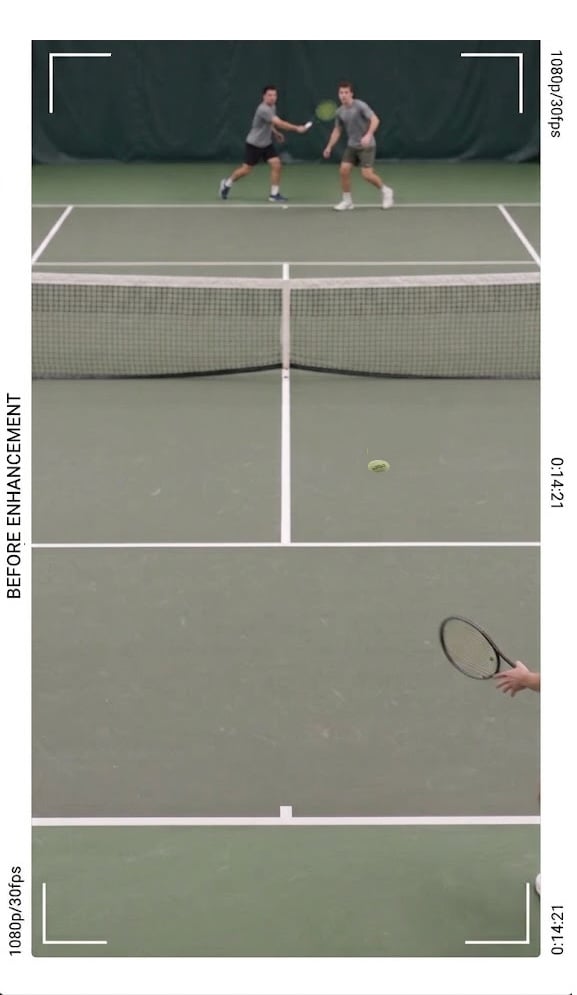
At 100% on a laptop, you can still guess it. On a phone at 50% brightness with no sound, you lose the ball for a frame.
For this test video, we selected the settings you see here: Master selected for model and 8K for resolution – one pass after the edit was locked, no timeline rebuild.
The after shows the same timestamp – 0:14:21, about two meters over the net – after one Master / 8K pass.
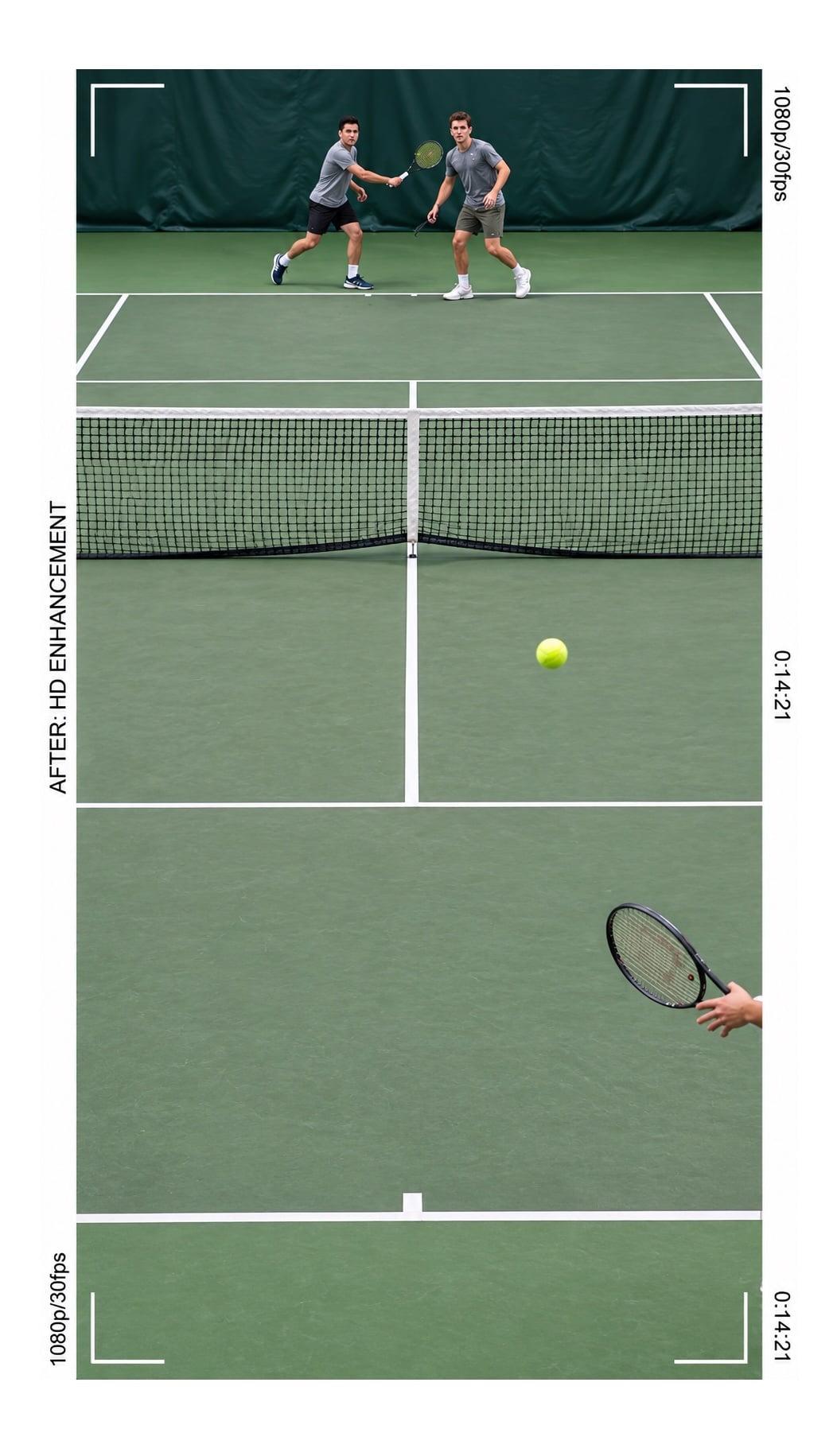
The ball is still small. The tool doesn’t invent a bigger ball, but the edge contrast is better, so you can track it against the court instead of losing it for a frame at 50% brightness. Racket edges are cleaner – you can see where the frame ends and the background begins – and the baseline and service line are more solid, which helps judge depth and recovery. Net mesh is less mushy too.
Add context before you publish
The final step is to watch the finished clip as a viewer, not as the person who edited it.
Turn off the timeline and watch it once without stopping. Can you actually tell who’s serving? Can you see both players clearly? Does the score look right? Can you follow the ball from the setup all the way to the end? And the big one – would someone who didn’t watch the live point still understand why that last shot worked?
Keep whatever you put on screen really simple. Just the score, who is serving, maybe one short note about the tactic. That’s usually plenty. Don’t put big graphics over the baseline, the service boxes, or on top of the players. The tennis itself should be the focus.
The best short tennis clips aren’t trying to show everything. These clips keep just enough of the point for people to understand what happened. Try to look for “that” tactical part of the play, keep the movement leading up to it, frame the court properly, and enhance the video when necessary. That’s what turns a normal rally into a short clip with a real story.





More tennis news
Zverev: World No. 1-elect, decided in Shanghai, still waiting to feel it


October 17, 1982: The day Jimmy Connors had the chair umpire removed


ATP sets out its 2028 blueprint: $350 million to players, a rankings overhaul and a calendar built around dedicated weeks

October 16, 1833: The day the man who invented lawn tennis – Walter Clopton Wingfield – was born

October 15, 1983: The day 16-year-old Aaron Krickstein became the youngest-ever player to win an ATP title